

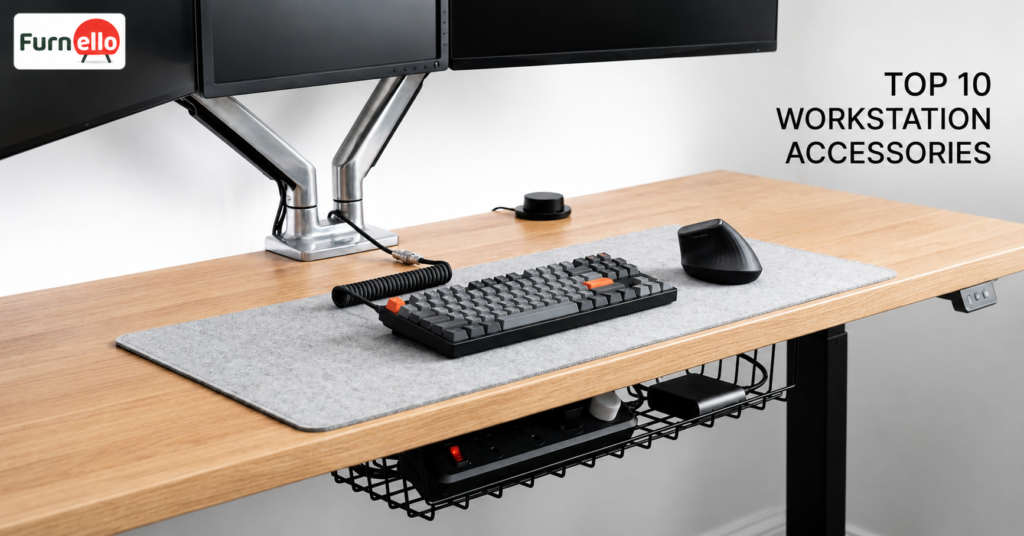
Workstation accessories play an important role in creating a comfortable and productive workspace. Even if you have a good desk and chair, missing accessories can make your workstation feel cluttered, uncomfortable, and less efficient.
A well-organized workstation helps employees stay focused, work comfortably, and complete tasks more efficiently. The right accessories can improve posture, reduce distractions, and make daily work easier.
Whether you work from a corporate office or a home office, these workstation accessories can help create a better work environment.
Also read: Top Modular Workstation Guide: Office Setup for Startups
Why Workstation Accessories Matter
Many people focus on office furniture but overlook the small additions that improve daily comfort and productivity.
- Improve sitting posture
- Keep desks organized
- Reduce clutter
- Increase comfort
- Improve focus during work hours
Monitor Arms
A monitor arm helps position your screen at eye level, reducing strain on your neck and shoulders.
It also creates extra desk space by lifting the monitor off the desk surface. Employees who use multiple monitors can easily adjust screen positions for better visibility and comfort.
CPU Holder
A CPU holder keeps your computer tower safely mounted under the desk instead of taking up valuable floor space.
This accessory helps keep the workstation organized while protecting the CPU from dust and accidental damage. It also makes cleaning around the workstation much easier.
Cable Management Tray
Messy cables can quickly make a workstation look untidy.
A cable management tray helps organize power cables, chargers, and network wires underneath the desk. This creates a cleaner workspace and reduces the risk of tangled cords.
Explore
Mobile Pedestal Storage
Storage is essential in any workspace. A mobile pedestal provides convenient storage for documents, office supplies, and personal items.
Because it includes wheels, employees can move it wherever needed. It keeps important items within reach while helping maintain a clean desk.
Keyboard Tray
A keyboard tray improves typing comfort by allowing users to position their keyboard at the correct height.
This helps reduce strain on the wrists, arms, and shoulders. Employees who spend long hours typing often find keyboard trays useful for improving posture and comfort.
Desk Divider Panel
Open office layouts encourage collaboration, but they can sometimes create distractions.
Desk divider panels provide a sense of privacy while helping employees stay focused on their work. They also help define personal workspaces without completely blocking communication between team members.
Laptop Stand
Many employees use laptops as their primary work device. A laptop stand raises the screen to a more comfortable viewing height.
This simple accessory helps reduce neck strain and encourages better posture. When paired with an external keyboard and mouse, it creates a more ergonomic workstation setup.
Power and Data Module
A power and data module provides easy access to electrical outlets, USB charging ports, and network connections directly from the workstation.
Instead of searching for plugs under the desk, employees can connect devices quickly and conveniently. This helps keep workstations organized and supports modern technology needs.
Under-Desk Storage Shelf
An under-desk storage shelf provides extra storage space without taking up valuable desk space.
Employees can store notebooks, files, bags, and frequently used items underneath the desk while keeping the main work surface clean and organized.
Ergonomic Footrest
Good posture starts from the ground up. An ergonomic footrest supports the feet and helps employees maintain a comfortable sitting position.
It can reduce pressure on the lower back, improve blood circulation, and increase comfort during long working hours. For employees who sit for most of the day, a footrest can make a noticeable difference.
Which Workstation Accessories Should You Buy First?
If you’re upgrading your workstation gradually, start with accessories that solve your biggest challenges.
For example:
- If you experience neck pain, choose a monitor arm or laptop stand.
- If your desk feels cluttered, invest in cable management trays and storage solutions.
- If you sit for long hours, consider a keyboard tray and ergonomic footrest.
- If privacy is an issue, desk divider panels can help improve focus.
Conclusion
Workstation accessories play an important role in creating a productive, comfortable, and organized workspace. From monitor arms and cable management trays to laptop stands, storage solutions, and ergonomic footrests, the right accessories can make daily work easier and more efficient.
FAQs
Workstation accessories are additional tools and components that improve the functionality and comfort of a workspace. Examples include monitor arms, cable organizers, laptop stands, keyboard trays, and storage solutions.
Monitor arms are among the most effective accessories because they improve posture, reduce neck strain, and create additional desk space. The best accessory depends on your specific workspace needs.
Proper cable management keeps desks organized, reduces clutter, and creates a cleaner working environment. It also helps prevent cable damage and improves workplace safety.
Yes. Accessories such as laptop stands, footrests, cable organizers, and storage units can significantly improve comfort and productivity in home office setups.
Desk divider panels reduce visual distractions and provide privacy while still allowing collaboration. They help employees stay focused, especially in open office environments.
Furnello offers high-quality workstation furniture and accessories designed for modern workplaces. Their solutions help businesses create organized, comfortable, and productive office environments.